 Stud Finder
Stud finder app for Android.
Stud Finder uses a compatible Android phone's magnetometer to help locate steel screws and nails behind drywall. Their pattern can help you locate wood framing. The app does not directly detect wood, PVC pipes, or live wires. Check your phone's sensor before subscribing.
 Scan to install on your phone
Point your Android camera at the code.
Scan to install on your phone
Point your Android camera at the code.
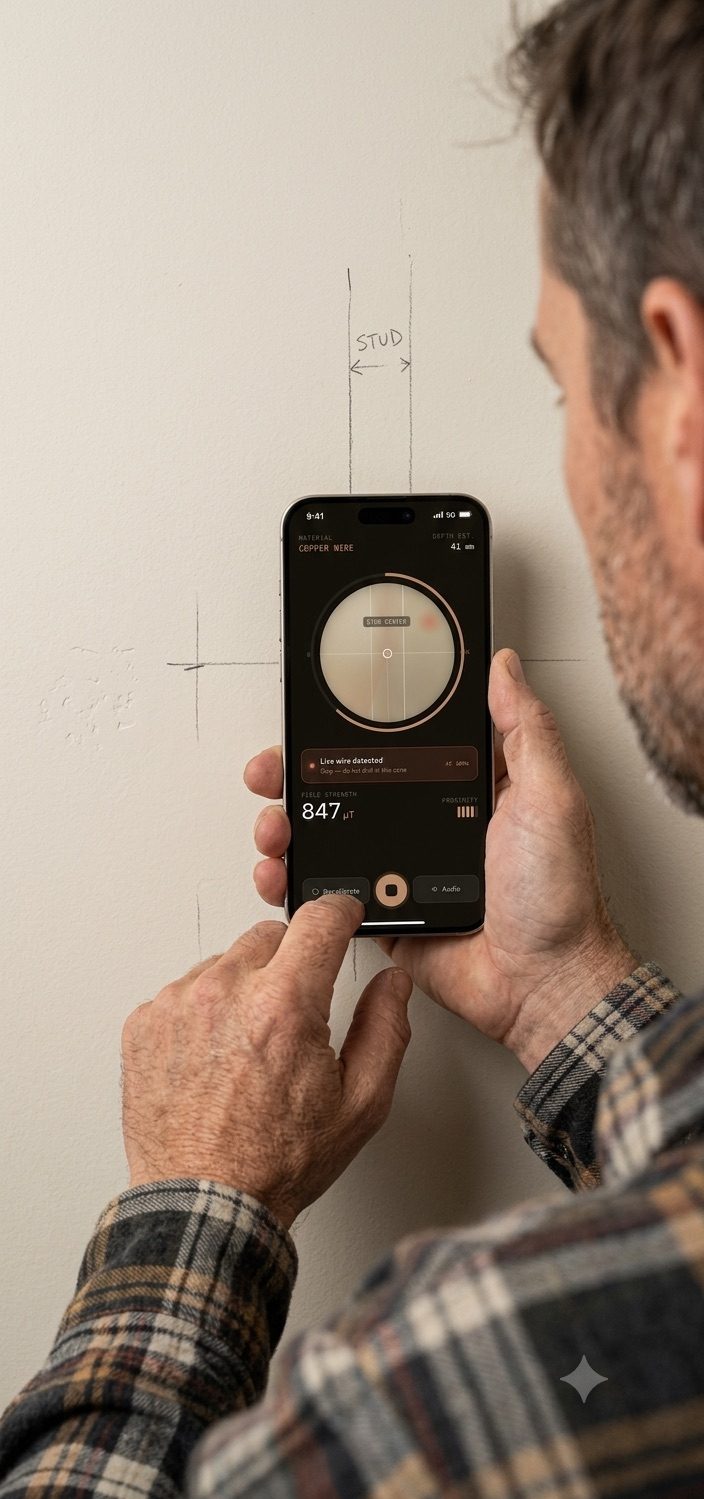
Stud Finder: key facts
Stud Finder is an Android app that uses the phone's built-in magnetometer to locate the steel screws and nails driven into wood wall studs behind drywall. It detects ferrous metal, not wood, and it is designed for drywall over wood studs; plaster and steel framing can make readings unreliable.
- Platform
- Android only. There is no iPhone version. The app is distributed through the Google Play Store.
- Sensor
- The app reads changes in the magnetic field that may indicate nearby steel screws or nails. Results depend on the phone, wall and fastener.
- Device compatibility
- Some Android devices lack a magnetometer. The app checks your sensor for free before any purchase and blocks the subscription if it is missing.
- What it detects
- Steel fasteners and other nearby ferrous metal. It cannot detect wood directly, live AC wires, plastic pipes, or hidden cameras.
- Wall types
- Designed for drywall over wood studs. Detection depends on the phone and fastener depth. Metal lath and steel framing can prevent fastener isolation.
- Typical stud spacing
- Wood-framed walls are usually framed 16 inches on center, sometimes 24 inches on center.
- Price
- $4.99 per week with a 3-day free trial, or $39.99 per year. Cancel anytime in Google Play.
- Positioning
- The honest stud finder — built like a real tool, not a gimmick app, and explicit about what it cannot do.
How to Find a Stud with Your Phone
Check that your phone has a magnetometer, then follow these steps to look for repeatable fastener signals. A signal alone does not confirm a stud or a safe drilling point.
Take off your case
Magnetic inserts, MagSafe rings, metal plates, or folio clasps can distort the reading. Remove your case entirely before scanning.
Hold the phone flat
Keep the back of your phone flat against the drywall to position the magnetometer as close to the screws as possible.
Move slowly
Slide the phone slowly from side to side and repeat the pass. Moving too quickly will cause you to overshoot the narrow magnetic field spike.
Watch the signal
Mark a response only if it repeats in the same spot. Compare above and below to look for a line of fasteners, then verify the framing before mounting.
The Physics: Phone compasses rely on an internal chip called a magnetometer. When this sensor passes over a ferromagnetic steel nail or drywall screw, it measures a tiny localized disturbance in the earth's magnetic field — a ferrous anomaly. Scan slowly and repeat each pass; the response depends on the phone, fastener depth and nearby metal. A repeatable line of fastener responses may indicate framing, but does not establish its edges or exact center. For the underlying science, see Britannica's explanation of magnetometer physics.
Stud Finder App vs. Magnetic vs. Electronic Stud Finders
There are three ways to find a stud. Two of them detect metal fasteners; only one reads the wood itself. Here is the honest comparison.
| Feature | Stud Finder App (phone magnetometer) | Magnetic Stud Finder | Electronic Stud Finder |
|---|---|---|---|
| What it detects | Steel screws and nails in the stud, via magnetic field changes | Steel screws and nails, via magnetic attraction | Density changes in the wall, via capacitive plates — reads the wood itself |
| Extra hardware | None. Uses the Android phone you already own | A separate magnet tool to buy and carry | A separate battery-powered device to buy and carry |
| Power | Runs on the phone's battery | None — a passive magnet, nothing to charge | Requires a battery, and drifts when the battery is low |
| Finds stud edges | No. It indicates magnetic changes near fasteners, not wood edges | No. It marks fastener positions only | Yes. It reports both edges, so it can estimate stud width |
| Plaster and lath walls | Unreliable. Wire lath produces constant magnetic interference | Sometimes works by finding individual lath nails | Usually fails. Plaster is too thick and too uneven in density |
| Metal studs | No. A metal stud reads as magnetic along its entire length | Detects the stud, but cannot isolate fasteners | Yes, and most models have a dedicated metal-scan mode |
| Common failure mode | A magnetic phone case, or drywall glued on with no screws near scan height | Missing a stud entirely between widely spaced fasteners | False positives from pipes, foil-faced insulation, and vapor barriers |
| Always with you | Yes. It is on the phone in your pocket | Only if you remembered the toolbox | Only if you remembered the toolbox |
| Best for | Hanging shelves, mirrors, art, and TV mounts on drywall | Quick checks with zero setup and nothing to fail | Framing, remodels, and any job that needs true stud width |
Scroll the table sideways to see all three tools.
The Verdict: A phone magnetometer app can help locate fasteners on drywall over wood studs without buying a separate detector. Stud Finder scanning requires a subscription after the trial. If you need stud edges, depth information, or verification for a heavy mounting job, use a suitable dedicated tool and follow the mounting hardware instructions.
What Stud Finder Can & Can't Do
We build tools, not magic tricks. Understanding these limitations is critical for a safe, successful project.
Works Well On
- Standard Drywall: Designed for drywall over wood framing; performance depends on the phone and fastener depth.
- Drywall Fasteners: Locates steel drywall screws and nails driven into studs.
- Wood Stud Centers: A repeatable line of fastener responses can help locate framing; it does not measure wood edges.
Struggles With
- Plaster & Lath Walls: Thick plaster can put nails out of range. Metal wire lath creates broad magnetic interference; wood lath behaves differently.
- Metal Studs: Metal studs create a continuous magnetic reading across the entire wall, preventing fastener isolation.
- Fastener-Free Walls: If installers glued the drywall and used zero screws near your scan height, no signal will register.
We Never Claim To Find
- Live AC Wires
- Plastic PVC Pipes
- Direct Wood Density
- Millimeter Depth Readings
- Hidden Cameras
DIY Guides & How-Tos
Practical guides to phone sensors, wall types, and the checks to make before choosing a mounting point.
Why a Stud Finder App Can Show a False Signal: Our LG G6 Tests
Three real LG G6 recordings exposed false signals that simulation missed. Read the findings, chart data and limits.
Read Case Study → TechnologyDo Stud Finder Apps Work? Our Phone Tests and Limits
Our checks on LG G6 and Redmi Note 13 Pro 5G, the difference between simulations and physical measurements, and what the results do not prove.
Read Guide → How-ToHow to Find a Stud to Hang a Heavy Mirror Safely
Locate structural studs by sliding a stud finder horizontally, marking spikes, and verifying the stud center before drilling. Always anchor into at least one stud.
Read Guide → LimitationsHow to Find Studs in Plaster and Lath Walls (Without Damaging Your Home)
Plaster over wood lath and plaster over metal mesh need different approaches. Learn how nail detection can help and when magnetic readings are unreliable.
Read Guide → ComparisonMagnetic vs. Electronic Stud Finders: Which Is Best for Your Project?
Magnetic finders detect nails with no batteries. Electronic finders sense wall density changes but produce false positives. Each has a distinct use case.
Read Guide → IdentificationHow to Tell If You Have Wood or Metal Studs Inside Your Walls
Metal studs trigger a continuous magnetic pull along their full length. Wood studs produce discrete spikes every 8–12 inches where screws are driven in.
Read Guide → How-ToHow to Find a Ceiling Joist Without a Stud Finder: 5 Easy Methods
Use the knock test, measure from an edge wall at 16- or 24-inch intervals, look for nail pops, or run a magnet along the ceiling to locate drywall screws.
Read Guide → SafetyHow to Mount a TV on Drywall Without Studs: Safe & Secure Methods
TV mounting depends on the mount, wall construction and rated hardware. Check the manufacturer’s instructions before choosing studs or a purpose-designed studless mount.
Read Guide → Getting StartedCan a Phone Be Used as a Stud Finder? Yes — Here's How It Works
Check whether your Android phone has a magnetometer, which walls suit magnetic scanning, and what the free compatibility check does.
Read Guide → TechnologyThe Technology Behind Stud Finder Apps: How Magnetometer Sensors Work
Phone apps read 3-axis magnetic flux density data from your phone's MEMS magnetometer chip to detect ferromagnetic anomalies caused by steel fasteners.
Read Guide → How-ToHow to Find a Stud Without a Stud Finder: 6 Household Hacks
Tap the wall to listen for solid sound, measure 16 inches from a corner, check near outlet boxes, or look for subtle nail pops in the drywall finish.
Read Guide → SafetyHow to Avoid Drilling Into Electrical Wires and Pipes When Hanging Shelves
A magnetic signal cannot rule out hidden wiring or pipes. Understand detector limits, check the planned fixing point, and get qualified help when the wall layout is uncertain.
Read Guide → TroubleshootingWhy Your Stud Finder Isn't Working on Exterior Walls (and How to Fix It)
Foil-faced insulation and vapor barriers disrupt electronic stud finders. Switch to a magnetic app that detects drywall screws directly, bypassing insulation interference.
Read Guide → How-ToHow to Find Studs to Hang Floating Shelves (Step-by-Step DIY Guide)
Locate two stud centers, align the bracket, pre-drill, and secure with heavy-duty wood screws. Floating shelves must hit studs to bear leverage weight safely.
Read Guide →Frequently Asked Questions
Common questions from DIYers who want to find studs reliably.
Do stud finder apps actually work?
Yes — stud finder apps work if they use the phone's magnetometer. The Stud Finder app detects the magnetic signature of the steel screws and nails that hold drywall to the studs. It does not see through walls and it does not measure wood density directly; it locates the metal fasteners that mark where the wood stud is.
How does the Stud Finder app find a stud?
Stud Finder reads the phone's magnetometer and looks for local magnetic changes. Steel screws and nails can produce these changes, but so can other steel objects. Repeated responses in a vertical line can help locate framing; they do not prove a stud's exact center or edges.
Why do I have to take my phone case off?
You have to take your phone case off because many cases contain magnets. A MagSafe ring, a metal plate for a car mount, or a folio clasp saturates the phone's magnetometer with interference, which hides the far smaller magnetic signature of a drywall screw. Scanning with a bare phone is the single biggest accuracy improvement you can make.
Does the app work on plaster or metal-stud walls?
Stud Finder is designed for drywall over wood studs. Plaster over wood lath may produce detectable nail signals, but thickness and fastener depth can make them unreliable. Metal wire lath and steel framing can produce broad signals that cannot isolate individual fasteners. Do not assume a plaster wall has metal lath.
How far apart are wall studs?
Wall studs in North American wood-framed homes are typically spaced 16 inches on center, and 24 inches on center in some newer or non-load-bearing walls. Once you have found one stud, measuring 16 or 24 inches horizontally predicts where the next one should be — then confirm it by scanning rather than assuming.
Is it accurate enough to hang a TV?
Use the app to look for a repeatable line of fasteners, not to certify a TV mounting point. A magnetic signal does not establish stud edges, load capacity, or the absence of hidden services. Verify the framing with a suitable method and follow the TV mount manufacturer's fastener and wall requirements.
What phones are supported?
Stud Finder supports any Android phone with a built-in magnetometer, the same sensor the compass app uses. Some Android devices ship without a magnetometer, so the app runs a free compatibility check on your device before you scan or subscribe, and blocks the purchase if the sensor is missing.
Does Stud Finder work on iPhone?
No — Stud Finder is an Android-only app and is not available for iPhone or iPad. It is distributed exclusively through the Google Play Store.
Can the app detect live electrical wires or pipes?
No — the Stud Finder app cannot detect live electrical wires, plastic PVC pipes, or hidden cameras. It responds to magnetic changes near ferrous metal. Before drilling, use a non-contact voltage tester and avoid the area directly above or below outlets and switches, where cable runs vertically inside the stud bay.
How much does Stud Finder cost?
Stud Finder costs $4.99 per week with a 3-day free trial, or $39.99 per year. There are no hidden fees and no locked feature tiers, and you can cancel at any time from your Google Play account settings.
Is there a free version or trial?
Yes — Stud Finder includes a fully functional 3-day free trial on the weekly plan. The trial lets you confirm the app works on your wall and finish a hanging project, and you are not charged if you cancel before it ends. Checking whether your phone has a magnetometer is always free and needs no subscription.
How is this different from a hardware stud finder?
The difference is what each tool measures. An electronic hardware stud finder measures changes in wall density with capacitive plates, so it can read the wood edge directly. Stud Finder reads the magnetic field of the steel fasteners driven into the stud. A dedicated tool is better for framing and new construction; the app may help locate fasteners without a separate detector, but scanning requires a subscription or eligible trial.
Check your phone before you scan
Check your Android phone for a compatible magnetometer. Review the wall-type limits and subscription terms before scanning.
 On a desktop? Scan with your Android phone to install.